
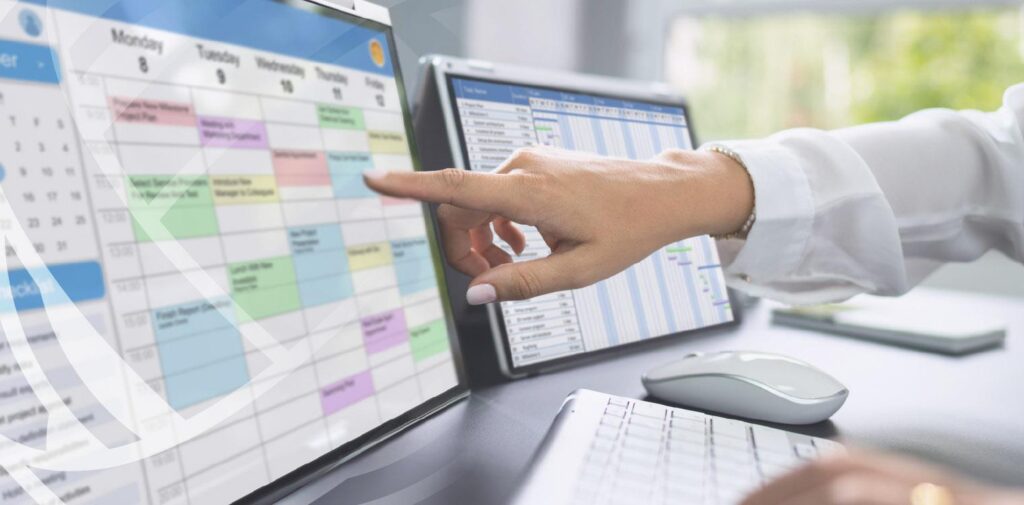
Your clinic’s landlines are buzzing at 8 am on Monday morning. There are two patients whose appointments need to be scheduled at the earliest, and a patient who can’t find her referral.
In the meantime, the receptionist is hustling in and out of the office, checking in patients, answering inquiries about insurance, and dealing with a full waiting room. It is even more problematic with paper calendars and individual spreadsheets.
A connected scheduling system provides an accurate view for the front desk. Patients can make online appointments, receive reminders, and complete forms prior to their visit. Staff can also easily identify canceled items without having to navigate multiple portals.
These small developments are valuable time savers for the doctors. They also provide the receptionists with additional space to assist a patient directly. The role of front desks in healthcare is multifaceted, encompassing a wide array of responsibilities and duties.
How Medical Appointment Scheduling Software Improves Front Desk Efficiency
With Appointment Scheduling Software, busy front desks are easier to manage thanks to these changes.
Seamlessly Schedules Appointments Using AI With EHR
An EHR based calendar enables receptionists to schedule appointments without making copies of patient information twice. <a title=”Medical Appointment Scheduling Software” href=”https://mdpracticeflow.com/“>Medical Appointment Scheduling Software</a> can display the availability of the providers along with the requirements of the appointment type.
Clinic scheduling rules may be approved and suggest openings when using AI assisted tools. For instance, a new patient consultation can take as long as 40 minutes, whereas follow up visits require a shorter duration.
Automatic confirmations can be sent to patients via the communication method of their choice and are also approved. Staff will ensure that referral details and insurance information are checked prior to confirming appointments.
Two way synchronization can be used to avoid the phenomenon of overlapping bookings among the connected office systems. Human review is essential for unusual requests, urgent symptoms, or exceptions. This balance is important instead of complete dependency on software.
Handle Last minute cancellations and walk-in patients
In some cases, when a patient visits the clinic without a prior appointment, it may happen that there are no slots available for them. Receptionists need to be able to fit them either between appointments or schedule them later.
If any patient cancels the appointment, automated waitlists can be used to fill in appointments. A limited number of same day slots are available for appropriate emergency requests. Avoid confusion about cancellation fees and delays by setting clear cancellation policies. Meanwhile, staff at the front desk will be able to provide a clear answer on what can be done, rather than making assumptions.
Keep an Advanced Analytics Dashboard
The front desk executives have access to the cancellations and unarrived patients for each appointment. You can also see the days and times of the week with the longest lines to check in the dashboard.
Let’s assume that there are consistent delays on Monday mornings at one primary care clinic. To handle the surge in arrivals during busy periods, managers can consider staggering arrivals or providing registration support.
All appointment reminders and missed visits are easily visible over time for staff. Visually reported information takes staffing discussions from the abstract to the practical. Evaluate patterns frequently before altering templates, staffing and/or booking policies.
Coordinate Multiple Doctors and Clinic Departments
A few observations have been made about the difficulties that multispecialty clinics encounter in scheduling their doctor and test appointments in comparison to single specialized clinics. This may require more than one visit in different sections like cardiology, imaging, and follow-up visits.
A receptionist can arrange all the required appointments without calling multiple reception desks. Specific departmental rules are put in place to avoid overbooking for longer procedures.
Some clinics even arrange for online consultations as well as in person visits. A staff member can also get in touch with patients and offer appropriate alternatives quickly, helping to minimize handoffs.
Make Invoicing and Payments Easier
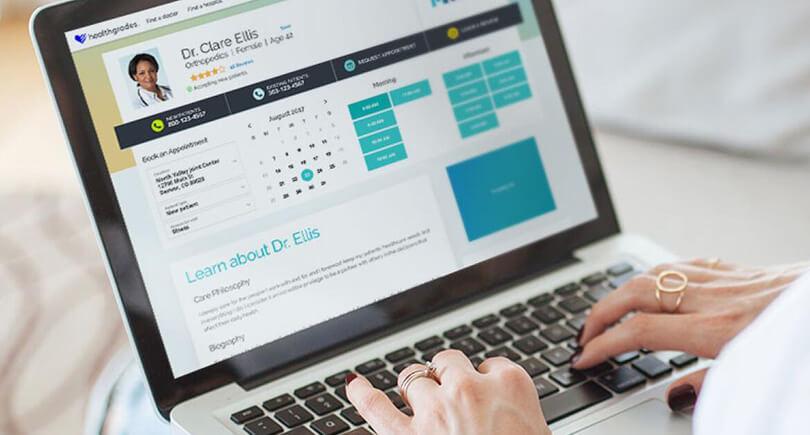
Patients can still delay the line due to payment questions after they have checked-in. Scheduling and billing records can be displayed in a connected format, showing past due and anticipated copays. Front desk staff can check insurance coverage prior to the appointment. If applicable, they can also send secure payment links.
Digital receipts reduce physical documentation and assist patients in having proper evidence of all monetary transactions. Based on digital documentation, front desk executives can explain insurance coverage and hospital charges clearly. Collecting payment and rescheduling appointments is easier with integrated reports. Role driven permissions provide security for financial data when it comes to unnecessary access by the clinic’s employees.
Streamline Lab Orders and Medication Management
Simplify laboratory orders/instructions and medication administration. There is often a high volume of phone calls to reception asking if patients have an appointment in the lab. Orders that need to be collected or followed up can be viewed when systems are connected.
The receptionists can then identify one of the draw times that are available at the clinic. Instead, results and decisions on treatment should be left to competent clinical practitioners. Scheduling links can also facilitate follow-up visits following results.
A referral to the authorized care team may be made for prescription refill requests. This helps to avoid making decisions by individual receptionists when it is not their job.
With safe records, teams can manage pharmacy orders and avoid multiple patient complaints. When implementing, ensure that your clinic is compatible with managing everything from appointment scheduling to report delivery seamlessly.
Reduce Patient Waiting Times and Improve Front Desk Experience
Even before patients’ arrival, waiting times start in the examination room. With online intervention, patients can submit information prior to their appointment. Receptionists will have a record of what patients report and be able to examine any mismatch.
With proper usage of the software, delays from the clinic’s end can be prevented. The automated reminders could help to minimize missed appointments and unplanned visits in clinics. There are still enough time buffers, however, for more complex visits or later visits. A more laid back front desk is a huge help during these busy morning hours.
Conclusion
Everyday visits in a clinic can be clearly tracked systematically without any stress through appointment scheduling software. It helps the receptionists in the clinic manage doctors’ and patients’ arrivals, delays, cancellations, or reappointments all at once.