
Quick Verdict
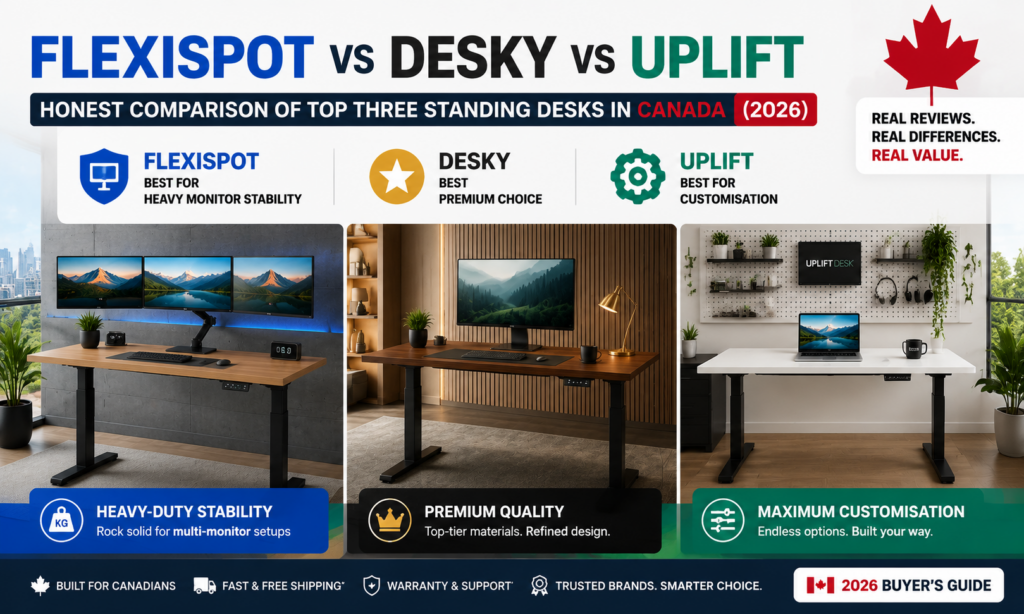
- Best Heavy Monitor Stability: FlexiSpot E7 Pro, rated to 440 lb on semi-C automotive-grade steel legs.
- Best Premium: Desky Dual Hardwood, real hardwood tops in eight species with cable management engineered into the frame.
- Best Customisation: UPLIFT V3, 25+ desktop combinations, and 100+ accessories on a 15-year warranty.
- The bottom line: a desk you actually raise beats a better desk you leave down, so weigh presets and noise as heavily as capacity.
Three brands dominate the Canadian standing desk shortlist in 2026, and each wins on something different. FlexiSpot’s E7 Pro carries the heaviest load at 440 lb, which buys the most headroom for multi-monitor rigs. Desky’s Dual Hardwood is the one you buy when the desk has to look like furniture. UPLIFT’s V3 is the configurator’s desk, with more desktop and accessory permutations than either rival offers.
Canadian adults spend an average of 9.3 hours a day sedentary, and only 42% stay under the nine-hour daily threshold, according to Statistics Canada’s 2022 to 2024 activity monitor data [1]. A sit-stand desk only helps if you use it, and that comes down to stability, noise, and whether the presets are worth touching. Those are what this comparison measures.
A note on independence: nothing here is a paid placement, none of the links earn a commission, and no brand had any say in the awards or the running order.
How These Three Desks Were Judged
Standing desk marketing collapses into the same four adjectives, so this comparison scores only what you can verify on a spec sheet or an invoice.
- Load capacity and stability at height: A frame rated near its limit wobbles at full extension, so headroom matters more than the number itself.
- Height range: ANSI/BIFMA G1-2013 sets the dimensional guidance North American manufacturers design workstations against [2], and a desk that stops short at either end rules out real users.
- Desktop material and thickness: Laminate, bamboo, and solid hardwood age differently, and a 1″ top resists sag that a 0.75″ top does not.
- Cable management: A desk that travels 25 inches vertically drags every cable with it, so channel placement decides whether the setup stays tidy.
- Landed Canadian cost: CAD pricing, shipping, duties, and brokerage, not the USD sticker.
FlexiSpot vs Desky vs Uplift: Specs Compared
|
|
1. FlexiSpot E7 Pro |
2. Desky Dual Hardwood |
3. UPLIFT V3 |
|
Award |
Best Heavy Monitor Stability |
Best Premium |
Best Customisation |
|
Standout feature |
440 lb rating, 30,000+ lift tests |
Integrated Cable & Power Channel, 1″ hardwood tops |
25+ desktop combos, 100+ accessories |
|
Materials / colours |
Laminate and bamboo tops; black, white, grey frames |
8 hardwood species; matte black, white, space grey |
Laminate, bamboo, solid wood, live edge, butcher block |
|
Height range |
25.0″–50.6″ |
23.6″–49.2″ |
22.6″–48.7″ |
|
Capacity |
440 lb |
308.6 lb |
355 lb |
|
Motors |
Dual, semi-C legs |
Dual, 3-stage |
Dual, 3-stage |
|
Warranty |
15 years |
10 years (5 on tops) |
15 years |
|
Price from (CAD) |
~$700–900 |
$999 |
USD $599 + freight |
The Three Desks, Judged on What They Actually Do Best
FlexiSpot E7 Pro – Best Heavy Monitor Stability
FlexiSpot builds the E7 Pro around a semi-C-leg structure in automotive-grade steel, rated to 440 lb and validated across 30,000+ lift tests. That capacity is the highest here by a wide margin.
Load headroom keeps a frame rigid at full extension. A dual 32″ arm setup, a full tower, and an 80″ top rarely clear 150 lb combined, so the E7 Pro spends its life at roughly a third of its rating.
The E7 Pro trades away the bottom of its height range. It starts at 25.0″, over two inches higher than the UPLIFT V3, which puts shorter seated users at the edge of a comfortable typing height.
Pros:
- 440 lb load rating on semi-C automotive-grade steel legs, verified across 30,000+ lift tests
- 15-year warranty, matching the longest coverage in this comparison
- Canadian pricing in CAD, typically $700 to $900 depending on top
- Accepts third-party desktops from 47.2″ to 80″ wide
Cons:
- 25.0″ minimum height is the highest of the three, which suits shorter users poorly
- Desktop material range is narrow next to Desky and UPLIFT
- Controller and preset interface lag behind app-based systems
Best for: Multi-monitor power users who need maximum load headroom without importing a desk.
Contact:
Address: 10 Newkirk Ct, Brampton, ON L6Z 0J9, Canada (Canadian returns facility)
Phone: +1 855-585-5618
Facebook: facebook.com/FlexispotCA/
Desky Dual Hardwood Standing Desk – Best Premium
Desky finishes the Dual Hardwood in eight solid species, Walnut, Pheasantwood, White Oak, White Ash, Teak, Acacia, Saman and Maple, at a 1″ thickness that resists the sag cheaper tops develop. Each is FSC, PEFC and Responsible Wood certified, over a frame carrying BIFMA, EESS and TÜV Rheinland certification.
Desky engineers an Integrated Cable & Power Channel into the frame rather than bolting a tray underneath, so cables travel with the surface through its 23.6″–49.2″ range and terminate in a single cord to the wall, supporting up to nine powered devices. CNN Underscored has named Desky’s cable organisation among the better solutions available [3].
TechRadar tested this exact desk over eight months and found it stable throughout, with dual motors running at roughly 40 dB, quieter than the UPLIFT V3’s published <48 dB. Siri and app control handle four presets, sit/stand reminders and usage tracking.
Watch the Desky dual hardwood standing desk in action, with built-in cable management, whisper-quiet dual motors, free Canada-wide shipping and a 10-year warranty.
“It’s hard to argue with the value you get out of the Desky Dual Hardwood sit-stand desk.” – TechRadar Pro, Desky Dual Hardwood sit-stand desk review [4]
Pros:
- Eight solid hardwood species at 1″ thickness, FSC, PEFC and Responsible Wood certified
- Integrated Cable & Power Channel routes up to nine devices to a single wall cord as the desk moves
- App and Siri control with four presets, sit/stand reminders and usage tracking; roughly 40 dB in operation
- Free Canada-wide shipping, same-day dispatch before 12pm EST, with Afterpay and Klarna available at checkout
Cons:
- 308.6 lb capacity is the lowest of these three desks
- 10-year frame warranty trails the 15 years offered by both FlexiSpot and UPLIFT
- TechRadar found the control app disconnects periodically, which interrupts voice control until it reconnects
- $999 CAD entry price sits above the FlexiSpot E7 Pro
Best for: Remote and hybrid professionals who want a desk that reads as furniture and keeps a tech-heavy setup visually clean.
Contact:
Address: 1270 Humber Place, Ottawa, ON K1B 0B4, Canada (office, not open to the public)
Phone: +1 800-657-5042
Facebook: facebook.com/deskyaus/
Instagram: instagram.com/deskyau/
UPLIFT V3 Standing Desk – Best Customisation
UPLIFT sells the V3 as a configurator rather than a product, pairing one frame with more than 25 desktop material and size combinations spanning laminate, bamboo, solid walnut, acacia, mango, birch, live edge and butcher block. Buyers then add from 100+ accessories, several included free with the desk.
UPLIFT rates the V3 frame to 355 lb, moving at 2″ per second across a 22.6″–48.7″ range the brand states meets ANSI/BIFMA G1-2013, the widest usable band here. A 15-year warranty covers every UPLIFT product.
UPLIFT holds no Canadian storefront and ships freight from Austin, Texas, with delivery quoted at checkout and taxes and duties billed on top. Its 30-day free-return policy covers return shipping only within the contiguous US.
Pros:
- 25+ desktop material and size combinations, including live edge and butcher block options no rival here offers
- 100+ accessories with free accessory slots included on desk orders
- 22.6″–48.7″ range, the widest here, which UPLIFT states meets ANSI/BIFMA G1-2013
- 15-year warranty across all UPLIFT products
Cons:
- No Canadian storefront; freight from Texas plus duties and brokerage can add hundreds to the landed cost
- Free return shipping applies only within the contiguous US, so Canadian returns carry real risk
- USD pricing exposes Canadian buyers to exchange rate movement
- Published noise ceiling of <48 dB, above Desky’s measured 40 dB
Best for: Buyers who want an exact desktop and accessory configuration and will accept cross-border cost and return friction to get it.
Contact:
Address: 1848 Ferguson Ln, Building 1, Austin, TX 78754, USA (ships to Canada; no Canadian storefront)
Phone: +1 800-349-3839
Instagram: instagram.com/upliftdesk
Which One Fits Your Setup?
No single desk here wins across the board, and the answer depends mostly on what sits on top of it.
- If you run dual 32″ monitors plus a tower: FlexiSpot’s E7 Pro is the safe call. Its 440 lb rating leaves the most headroom, and headroom keeps a frame rigid at standing height.
- If the desk lives in a room people see: Desky’s Dual Hardwood is the clearest choice, solving the material and the clutter problem at once.
- If you are 5’2″ or shorter: UPLIFT’s V3 drops to 22.6″, the lowest seated height here by a clear margin.
- If landed cost decides it: FlexiSpot and Desky both price in CAD and ship domestically, removing the duty and brokerage variable.
FAQs
Which standing desk handles dual 32-inch monitors plus a tower PC?
All three handle that load, but FlexiSpot’s E7 Pro carries the most margin at 440 lb versus 355 lb for the UPLIFT V3 and 308.6 lb for the Desky Dual Hardwood. A dual 32″ arm-mounted setup with a mid-tower lands near 120 to 150 lb, well inside every spec here. Choose on stability headroom, not the capacity figure alone.
Do I pay duties and brokerage on a standing desk shipped to Canada?
You pay them on any desk shipped from the United States, and UPLIFT is the one brand here that ships that way. Its shipping policy calculates cost at checkout for destinations outside the contiguous US, with taxes and duties assessed separately. FlexiSpot and Desky hold Canadian inventory and quote in CAD, removing the charge.
What does a 15-year warranty actually mean on a standing desk?
A 15-year term means the brand expects the frame, motors and electronics to outlast the desktop, usually the first component to fail. FlexiSpot and UPLIFT both offer 15 years; Desky covers the frame, motors, and electronics for 10 years and the desktop for five. Read what each warranty covers, because desktop terms are often shorter than frame terms.
Why does the Desky Dual Hardwood cost more than the FlexiSpot E7 Pro?
The desktop accounts for the gap. Desky starts at $999 CAD because the top is solid hardwood at 1″ thickness in one of eight species, certified by FSC, PEFC, and Responsible Wood, whereas the E7 Pro’s comparable builds use laminate or bamboo. You are paying for material and finish, not mechanism.
Is a hardwood desktop worth it over laminate?
Hardwood earns its premium on visibility and lifespan. Laminate resists scratching and costs less, while solid hardwood at 1″ thickness resists sag under monitor arms and can be refinished rather than replaced. Past a decade of use, hardwood is the more durable purchase.
The Bottom Line
Three desks split the Canadian category three ways. FlexiSpot’s E7 Pro takes stability on a 440 lb rating no rival here approaches, Desky’s Dual Hardwood takes premium on real hardwood tops and cable management built into the frame, and UPLIFT’s V3 takes customisation on a configurator nobody else offers. None of them wins outright, which is the point: pick the award that describes your setup.
Sit-stand desks only pay off if you keep alternating positions, and the Canadian Centre for Occupational Health and Safety notes many users drift back to sitting once the novelty fades [5]. The presets are what keep the habit alive.